
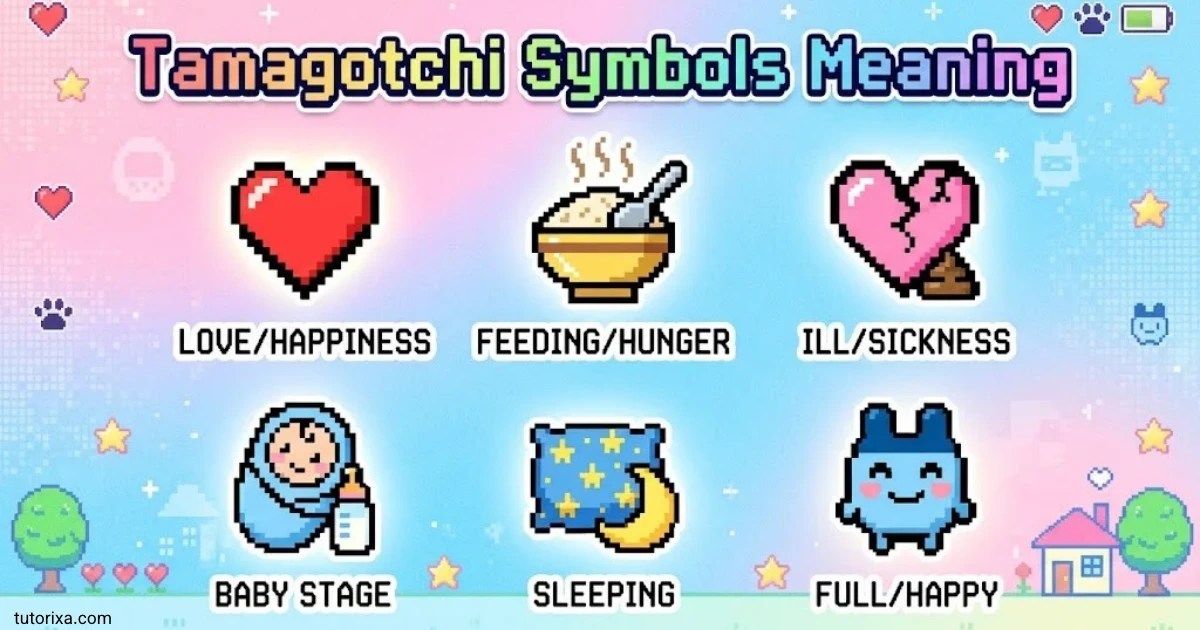
Tamagotchi symbols help you understand what your virtual pet needs, how it feels, and when it requires your attention. From hearts and food icons to skulls and warning symbols, each icon can give you a clue about your pet’s condition. However, the meaning of a symbol may change depending on which Tamagotchi version you own.
If you are looking for the meaning of original Tamagotchi symbols, Gen 1, Gen 2, or Gen 3 icons, understanding the differences can make caring for your virtual pet much easier. Some symbols indicate hunger or happiness, while others may signal sickness, discipline needs, or a problem that requires action.
This guide explains the most common Tamagotchi symbols, including the attention icon, skull symbol, and icons found in R2-D2 and Demon Slayer Tamagotchi editions. You will also learn how to interpret unfamiliar icons and decide what to do when your Tamagotchi beeps or displays a warning.
What Do Tamagotchi Symbols Mean?
Tamagotchi symbols are small on-screen icons that help you care for your virtual pet. Depending on the model, they can represent feeding, happiness, health, discipline, sleep, cleaning, or attention. Learning what each icon means helps you respond before your pet becomes unhappy or sick.
Here are some common Tamagotchi icons and what they generally represent.
| Symbol or icon | Meaning | What to do |
| 🍴 | Feeding | Check hunger and provide food if needed. |
| ♥ | Happiness or affection | Play with your pet if its happiness is low. |
| ♡ | Heart or status indicator | Check the specific meter or screen. |
| 💊 | Medicine | Use the medicine option when your pet is sick. |
| 💡 | Light control | Adjust the light when your pet sleeps. |
| 🚽 | Toilet or cleaning | Clean up after your pet when necessary. |
| ♪ | Play or sound-related activity | Check the selected menu or model instructions. |
| ⚠ | General warning | Check your pet’s condition and the device manual. |
| ☠ | Skull or sickness indicator | On many classic models, select medicine. |
| ! | Attention or alert | Check what your pet needs. |
Important: These emoji are illustrations for easy reading, not exact reproductions of the original Tamagotchi LCD graphics. The actual icons may look different on your device, and some models use character animations rather than menu symbols.
Most classic Tamagotchi devices have three buttons. Button A usually moves between icons, button B selects an option, and button C returns to a previous screen or checks your pet’s condition, depending on the model.
If an icon is highlighted, select it to check its function. If your pet calls for attention, check its hunger, happiness, health, and behavior instead of assuming that every alert means it needs food.
Original Tamagotchi Symbols Meaning
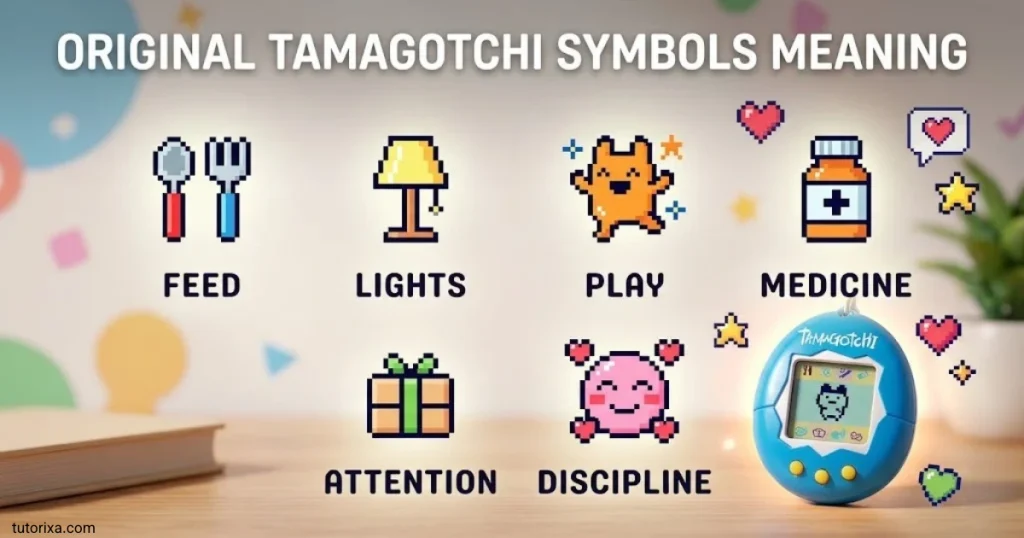
The original Tamagotchi uses a small set of care icons to help you manage your pet throughout its life. These icons are especially useful because the screen is simple, and most information is shown through small pixel graphics.
The following table explains the main symbols found on classic original models.
| Icon or symbol | Meaning | How to use it |
| Feeding icon | Food and snacks | Choose a meal when your pet is hungry. |
| Light bulb | Light control | Turn the light off when your pet goes to sleep and on when it wakes. |
| Duck or toilet icon | Bathroom needs | Clean up droppings when they appear. |
| Health meter | Hunger, happiness, age, weight, and discipline information | Check your pet’s status regularly. |
| Play or game icon | Games | Play to improve happiness. |
| Medicine icon | Treatment for sickness | Select medicine when the sickness indicator appears. |
| Attention icon | A care request | Investigate why your pet is calling. |
| Discipline icon | Behavior correction | Use it when your pet needs discipline. |
These functions are documented in the classic Tamagotchi instructions. The exact artwork can vary between releases, so identify an icon by its menu position and function rather than relying on its appearance alone.
How To Read The Original Tamagotchi Icons
- Check the health meter: Look at the hunger and happiness indicators to see if your pet needs food or play.
- Treat sickness promptly: If a skull appears, open the medicine option.
- Respond to attention calls: Your pet may need care, or it may be asking for discipline even when its basic needs are met.
- Manage sleep: Use the light control when your pet goes to bed.
- Keep the screen clean: Remove droppings when they appear.
The original Tamagotchi is easier to manage once you recognize the difference between a care icon and an attention signal. The first tells you which action to choose; the second tells you that you should check what is happening.
Tamagotchi Symbols Meaning Gen 1
Gen 1 Tamagotchi uses familiar care icons for feeding, health, games, medicine, lights, discipline, and attention. These icons let you check your pet’s needs and choose the right response from the menu.
Here are the most useful Gen 1 symbols to recognize.
| Symbol or icon | Gen 1 meaning | Action |
| Food icon | Feed your pet | Select a meal or snack. |
| Heart or health meter | Check hunger and happiness | Fill the relevant meter through care. |
| Game icon | Improve happiness through play | Select and complete a game. |
| Skull | Your pet is sick | Choose medicine and repeat treatment if needed. |
| Light bulb | Control the light | Turn off the light during sleep. |
| Toilet icon | Bathroom care | Clean up after your pet. |
| Attention icon | Your pet needs checking | Inspect its condition and respond. |
| Discipline icon | Correct behavior | Use it when the pet calls unnecessarily or refuses care. |
What Does The Gen 1 Skull Mean?
A skull on a classic Gen 1 device usually indicates sickness. Select the medicine icon and give your pet the required treatment. If the skull remains, the device may require another medicine selection. Follow your model’s instructions rather than assuming one dose always resolves the problem.
What Does The Gen 1 Attention Icon Mean?
The attention icon tells you that your pet needs you to check its condition. It may be hungry, unhappy, sick, or behaving in a way that requires discipline. Check the health meter before choosing an action.
Gen 1 tip: Do not feed your pet automatically every time it calls. Check its meters first, because an attention call can have more than one cause.
Tamagotchi Symbols Meaning Gen 2
Gen 2 follows the familiar classic Tamagotchi care system, but it has different characters and a different mini-game from Gen 1. The basic care icons remain similar, so much of what you learn from one version can help you with the other.
| Symbol or icon | Meaning | What you should do |
| Food icon | Feeding | Give a meal when hunger is low. |
| Health meter | Hunger, happiness, and other status details | Check the meter before acting. |
| Game icon | Play and happiness | Play the available mini-game. |
| Skull | Sickness | Use medicine to treat your pet. |
| Light bulb | Sleep and lighting | Turn off the light when your pet sleeps. |
| Toilet icon | Bathroom care | Clean up droppings. |
| Attention icon | A request for care | Check your pet’s needs. |
| Discipline icon | Behavior correction | Respond when your pet needs discipline. |
Does Gen 2 Have Different Symbols From Gen 1?
The main care functions are largely the same, but the character designs and mini-games differ. The most noticeable difference for many players is the game used to improve happiness, rather than an entirely new set of care icons.
How To Respond To Gen 2 Alerts
If your Gen 2 Tamagotchi beeps, check its status before taking action. A low hunger meter calls for food, while low happiness may call for a game. If your pet calls when its basic needs are satisfied, check whether it needs discipline.
This simple routine helps prevent unnecessary feeding and makes it easier to maintain good care.
Tamagotchi Symbols Meaning Gen 3
Gen 3 requires extra attention because the official Original Tamagotchi lineup identifies it with the Angel-themed character called Obaketchi Angel. Its care options include a praise function for situations in which the character prays. That makes its behavior system different from the standard Gen 1 and Gen 2 experience.
The following table covers the main functions to look for on Gen 3 and Angel-themed screens.
| Icon or function | Meaning | What to do |
| Feeding icon | Food | Feed your character when it is hungry. |
| Health meter | Current condition | Check the available status indicators. |
| Game icon | Games and activity | Use the available game to support happiness. |
| Light bulb | Sleep control | Adjust the light when the character sleeps. |
| Toilet icon | Bathroom care | Clean up when necessary. |
| Attention icon | Care request | Check what your character needs. |
| Praise icon | Positive behavior response | Praise the Angel character when it prays. |
| Medicine icon | Health treatment, where available | Follow the device’s sickness instructions. |
Note: This table describes functions rather than guaranteeing that every icon appears on every Gen 3-branded release. Tamagotchi products have different generations and special editions, so check the instructions supplied with your exact device.
What Makes Gen 3 Different?
The official Original Tamagotchi FAQ distinguishes Gen 3 from Gen 1 and Gen 2 by its character lineup and care behavior. For the Angel character, the instructions specifically mention praising it when it prays.
If your Gen 3 character displays an unfamiliar icon, check whether it relates to praise, ordinary care, or a special character action. Do not automatically treat every unusual animation as a warning.
Tamagotchi Attention Icon Meaning
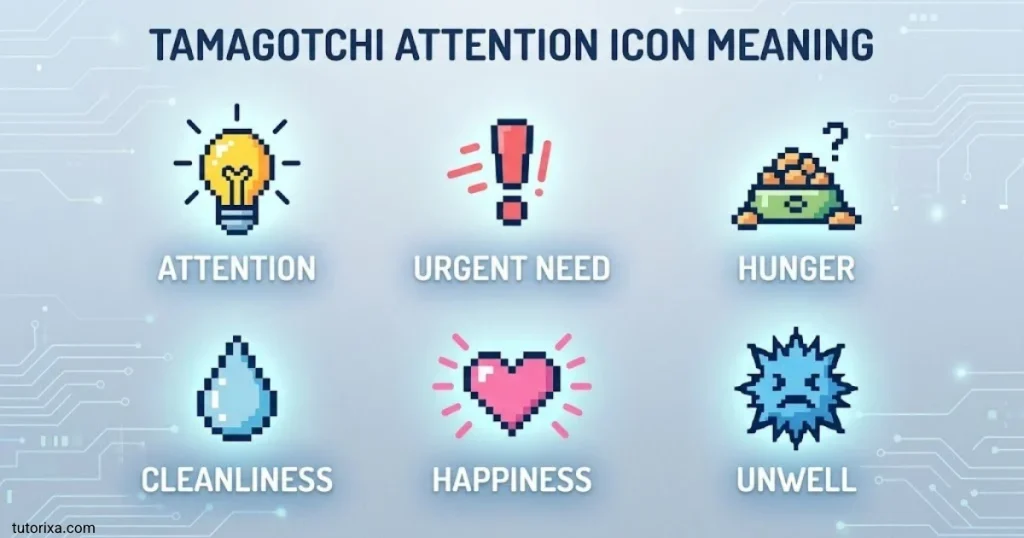
The Tamagotchi attention icon is a signal that your virtual pet needs you to check its condition. On classic models, an attention call can indicate a care need, but it can also occur when the pet requires discipline.
The exact meaning depends on what your pet is doing and which version you have. The official Original Tamagotchi FAQ explains that Gen 1 and Gen 2 characters may call even when full and happy if they are being selfish or need discipline.
Why Is The Attention Icon On?
Common reasons include:
- Hunger: Your pet needs a meal.
- Low happiness: It may need to play a game.
- Sickness: A skull or other sickness indicator may appear.
- Discipline: Your pet may call even when its hunger and happiness meters are full.
- Special behavior: Some versions use unique animations or alerts for their own care systems.
How To Turn Off The Attention Icon
Follow these steps to identify and respond to the alert.
- Look at your pet’s current screen and note any visible changes.
- Open the health meter to check hunger and happiness.
- Check for a sickness indicator and select medicine if necessary.
- If the basic needs are satisfied but the pet is still calling, check whether discipline is required.
- Recheck the screen to see whether the alert has cleared.
An attention icon does not necessarily mean that your Tamagotchi is in danger. It is a prompt to investigate and choose the correct action.
Why Does My Tamagotchi Keep Beeping When It Is Full?
On classic Gen 1 and Gen 2 models, a pet may call for attention despite being full and happy because it needs discipline. The official guidance recommends using the Discipline icon when a character calls unnecessarily, refuses food while hungry, or refuses games when unhappy.
Avoid giving extra food just to stop the sound. Checking the health meter and behavior first is usually more helpful.
Tamagotchi Symbols Meaning: Skull
The skull symbol is one of the most important Tamagotchi icons to recognize. On classic models, it generally indicates that your pet is sick and needs medicine. It is a care warning, not a decoration or a symbol that should be ignored.
What Does The Skull Symbol Mean?
| Symbol | Meaning | Recommended action |
| ☠ | Skull illustration; represents sickness on classic Tamagotchi models | Open the medicine icon and treat your pet. |
| 💊 | Medicine illustration | Select medicine when your pet needs treatment. |
| ! | General warning illustration | Check the screen and the model’s instructions. |
These are text illustrations to help you recognize the concepts. The original device uses pixel graphics, and the displayed skull may not look exactly like the Unicode skull character ☠.
How To Fix The Skull Symbol
- Press the A button to navigate to the menu.
- Find the medicine icon.
- Press B to select it.
- Check whether the skull disappears.
- If your pet still appears sick, follow the instructions for your specific model and repeat treatment if required.
Classic Tamagotchi instructions indicate that medicine may need to be selected more than once when the sickness indicator remains.
Can The Skull Mean Something Different?
Yes. Its meaning depends on the device. A skull on a classic virtual pet generally signals sickness, but a special edition may use different animations or visual effects. If the symbol appears on a themed device, check the accompanying manual before assuming that its function is identical to Gen 1.
The safest rule is simple: if a classic Tamagotchi shows its sickness skull, check the medicine option promptly.
R2-D2 Tamagotchi Symbols Meaning
The R2-D2 Tamagotchi is different from the classic pet models. Instead of relying on the familiar row of care icons, it uses R2-D2 animations and status meters to show how the droid is doing. Bandai describes the device as a Star Wars-themed virtual pet in which you charge and clean R2-D2, play mini-games, and develop its skills.
What Do R2-D2 Tamagotchi Symbols Mean?
The most useful visual clues relate to hunger, happiness, and the droid’s current activity.
| Screen clue | Meaning | What to do |
| Hungry meter is low or empty | R2-D2 needs food-related care | Open the condition screen and follow the care prompt. |
| Happy meter is low or empty | R2-D2 needs attention to its happiness | Play a suitable mini-game or provide the required care. |
| Dizzy spiral animation | The hungry meter is empty | Address R2-D2’s hunger. |
| Sulking animation or mark | The happy meter is empty | Improve R2-D2’s happiness. |
| Skill or activity animation | R2-D2 is performing or showing an activity | Check the current screen and continue playing as needed. |
The dizzy spiral and sulking mark are descriptions of on-screen animations, not standardized Unicode symbols. The R2-D2 model communicates its condition through these animations and its meters.
How To Check R2-D2’s Condition
Press the C button to check R2-D2’s condition when the droid is awake and the screen allows it. If the hungry or happy meter is empty, the corresponding animation can help you determine what needs attention.
Remember that R2-D2 is a themed virtual pet, not a classic Tamagotchi with the exact same menu layout. If you are searching for a skull or attention icon and cannot find one, look at the meters and character animations instead.
Demon Slayer Tamagotchi Symbols Meaning
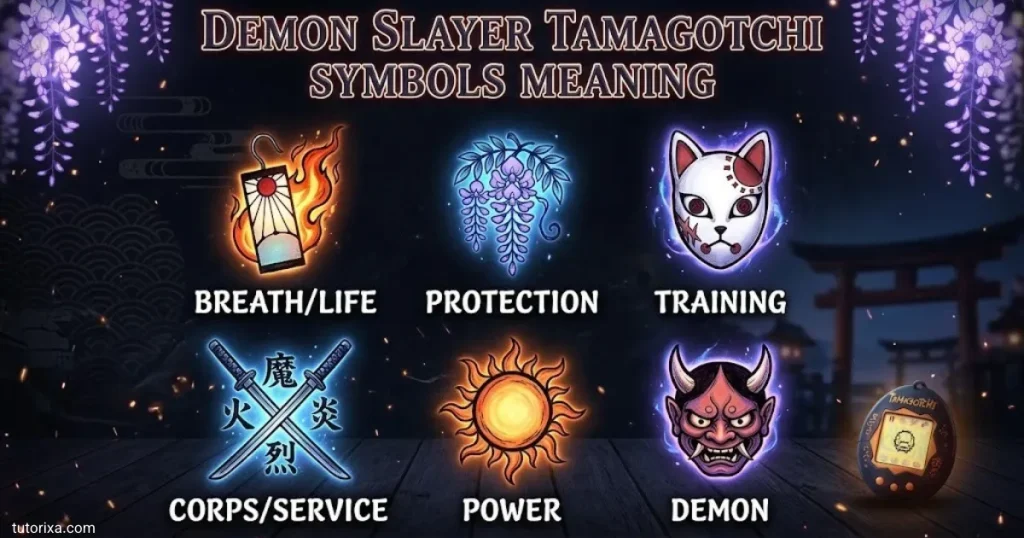
The Demon Slayer Tamagotchi uses a themed care system based on the Demon Slayer: Kimetsu no Yaiba series. Instead of using exactly the same menu icons as the classic Tamagotchi, it communicates the character’s condition through meters, animations, and themed actions.
Common Demon Slayer Tamagotchi Icons And Their Meanings
| Icon or screen clue | Meaning | What to do |
| Rice ball | Food for a hungry character | Select the rice ball and confirm. |
| Green tea | Helps when the character is unhappy | Give green tea when the character needs it. |
| Lights OFF | Used when the character goes to sleep | Turn off the lights during sleep. |
| Angry expression | The character is hungry | Check the hunger meter and provide food. |
| Sulking expression | The character is unhappy | Check its condition and offer green tea when appropriate. |
| Demon appearance | A mission or enemy encounter | Follow the device’s instructions to attack. |
| Injury animation | The character needs recovery | Follow the recovery instructions. |
| Battery-low icon | The battery needs attention | Replace the batteries according to the manual. |
These functions are described in the Demon Slayer Tamagotchi instruction materials. Some special editions, including Hashira-themed models, may have different screens or gameplay details.
What Does The Demon Slayer Hungry Icon Mean?
When your Demon Slayer character is hungry, select the rice ball from the menu and confirm the action. The device may show an angry expression when the hunger meter is empty. Feeding is unavailable in certain states, such as when the character is asleep, injured, or facing a specific in-game event.
What Does Green Tea Mean?
Green tea is used when the Demon Slayer character is unhappy or in a bad mood. It is different from the rice ball, which addresses hunger. Check the character’s expression and condition before choosing between these options.
What Does The Demon Symbol Mean?
A demon appearing on the screen generally signals an encounter or mission. Follow the device’s instructions to attack before the demon takes over the screen. The precise conditions for defeating a demon depend on the game state, so this animation should not be confused with the sickness skull on a classic Tamagotchi.
Tip: If you own a Demon Slayer or Hashira edition, use its model-specific manual to identify unfamiliar icons. Its character animations and gameplay indicators may not have direct equivalents on the original Gen 1, Gen 2, or Gen 3 devices.
Frequently Asked Questions
What Is The Most Important Tamagotchi Symbol?
The attention icon is one of the most important because it tells you to check your pet’s condition. Hunger, happiness, sickness, and discipline can all require different responses, so inspect the status indicators before taking action.
What Does A Skull Mean On An Original Tamagotchi?
A skull generally means your virtual pet is sick. Select the medicine icon and follow the instructions for your model. Some classic devices require more than one medicine selection before the sickness indicator clears.
Are Gen 1, Gen 2, And Gen 3 Tamagotchi Symbols The Same?
Many basic care functions are similar, especially on the Original Tamagotchi range. However, character lineups, games, and certain care behaviors differ. Gen 3 includes the Angel-themed Obaketchi Angel character and a praise function.
Why Does My Tamagotchi Call When Its Hunger And Happiness Are Full?
On classic Gen 1 and Gen 2 devices, this can indicate that your pet needs discipline. Check its behavior and use the Discipline icon when appropriate instead of giving it more food.
Do R2-D2 And Demon Slayer Tamagotchi Have The Same Icons As The Original?
No. These themed devices use their own gameplay systems and visual cues. R2-D2 relies on hunger and happiness meters with character animations, while Demon Slayer uses themed care actions such as rice balls, green tea, and demon encounters.
Conclusion
Understanding Tamagotchi symbols makes looking after your virtual pet easier. Classic models use care icons for feeding, games, health, medicine, lights, and discipline, while attention alerts tell you to check what your pet needs. The skull is particularly useful to recognize because it generally signals sickness on classic devices.
Gen 1 and Gen 2 share many basic care functions, while Gen 3 introduces different character behavior. R2-D2 and Demon Slayer editions use their own animations, meters, and themed actions, so their indicators should be interpreted according to the specific model.
When an unfamiliar icon appears, check the health meter, observe your pet’s animation, and consult the correct instruction manual. Responding to the actual need instead of guessing can help you keep your Tamagotchi happy, healthy, and growing.

I’m Ellis Montgomery, a British writer interested in the powerful language of symbols. I explore everything from traditional emblems and cultural signs to contemporary symbols found in modern life. My aim is to explain their meanings clearly while revealing the stories and ideas behind them, making symbolism fascinating and accessible to everyone.
Books:
- The Complete Book of Symbols
- Hidden Messages in Everyday Symbols
 Rowan Whitaker
 Freddie Beaumont