
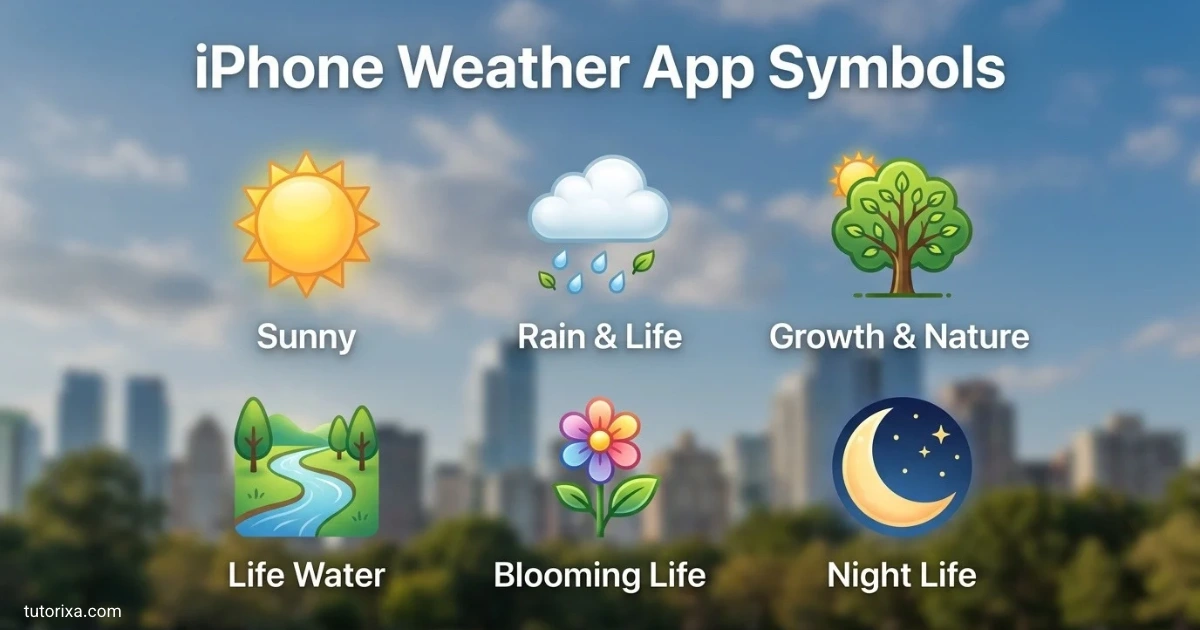
Have you ever opened your iPhone Weather app and wondered what those tiny symbols mean? From clouds and raindrops to wind and snow icons, each symbol provides useful information about the weather, but understanding them isn’t always easy.
I’ll help you discover what each iPhone Weather app symbol means and how to understand your local forecast. With this simple guide, you can recognize weather conditions quickly and plan your day with greater confidence.
Whether you’re checking the forecast before leaving home or planning an outdoor activity, you’ll find clear explanations of common iPhone Weather app symbols here. Let’s explore these icons and make checking the weather easier for you.
What Do The iPhone Weather Symbols Mean
The symbols in Apple’s Weather app represent specific weather conditions or events, such as sunrise, clear skies, rain, snow, and thunderstorms. Their exact appearance can vary with the forecast and iOS version, so the accompanying description is useful when an icon is unclear.
Here is a quick reference to the most common iPhone weather symbols and what they mean.
| Symbol appearance | Name | Meaning |
| ☀️ | Sunny | Clear or mostly clear daytime conditions |
| 🌤️ | Mostly sunny | Sun with a few clouds |
| ⛅ | Partly cloudy | A mix of sun and clouds |
| ☁️ | Cloudy | Clouds cover much or all of the sky |
| 🌫️ | Fog or haze | Reduced visibility or hazy conditions; check the app’s label |
| 🌬️ | Windy | Windy or breezy weather |
| 🌧️ | Rain | Rain is expected or occurring |
| 🌦️ | Sun showers | Rain with sunshine |
| ⛈️ | Thunderstorm | Thunderstorms are expected or occurring |
| 🌨️ | Snow | Snowfall is expected or occurring |
| ❄️ | Snowflake | Snow or freezing weather, depending on context |
| 🌧️ | Heavy rain | More intense rainfall |
| 🌙 | Clear night | Clear or mostly clear nighttime conditions |
| 🌅 | Sunrise | The sun is expected to rise |
| 🌇 | Sunset | The sun is expected to set |
Important: These emoji are familiar visual examples, not exact copies of Apple’s proprietary Weather app artwork. For an official reference, see Apple’s Learn the weather icons on iPhone guide.
The icon usually summarizes the forecast for a particular time. For example, a rain symbol beside an hourly forecast indicates rain during that period, while a snow symbol suggests wintry precipitation. Check the temperature, precipitation details, and forecast text before deciding what the weather will be like.
iPhone Weather App Symbols Meaning
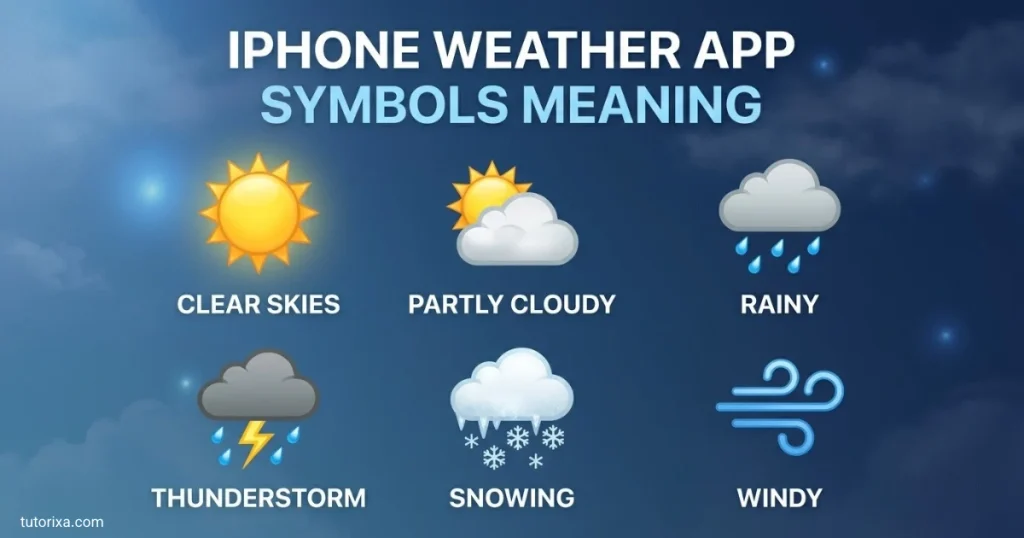
The meaning of an iPhone weather symbol depends on its shape and the condition it represents. Some icons describe the sky, while others indicate precipitation, wind, visibility, or the time of day.
Sunny And Cloudy Weather Symbols
The sun symbol indicates clear or mostly clear daytime weather. It generally suggests little cloud cover.
A sun partly covered by a cloud means sunshine and clouds are both expected.
A cloud icon represents cloudy conditions. The forecast details help distinguish ordinary cloud cover from other conditions.
Rain And Storm Symbols
- Rain: A cloud with falling drops indicates rainfall.
- Heavy rain: The icon indicates heavier rainfall than the regular rain symbol.
- Drizzle: Fine precipitation marks represent light rain or drizzle.
- Thunderstorm: A cloud with lightning indicates thunderstorm conditions.
- Freezing rain or sleet: A winter precipitation symbol can indicate icy rain, sleet, or a mixture of wintry precipitation.
Snow And Winter Weather Symbols
- Snow: A snowflake or cloud with snow marks indicates snowfall.
- Heavy snow: A heavier snowfall symbol indicates more intense snow.
- Blizzard: Some Weather icons represent blizzard conditions, which involve severe snow and wind.
- Wintry mix: A mixed-precipitation icon may indicate sleet, freezing rain, or a combination of winter precipitation.
Apple’s official icon guide identifies rain, heavy rain, drizzle, snow, heavy snow or blizzard, and freezing rain or sleet among its weather icons.
Nighttime Weather Symbols
Nighttime versions of weather icons may show a crescent moon instead of a sun. A moon with a cloud can indicate partly cloudy nighttime conditions, while other variations can represent clear skies or nighttime drizzle.
Do not confuse a weather icon with an iPhone status-bar symbol. Their meanings depend on where they appear on the screen.
Weather Symbols on Weather App
Weather apps use icons to make forecasts easy to scan. However, the same general concept can look different in Apple Weather, Google Weather, or another weather service.
The following table explains common weather symbols across apps.
| Common symbol | Typical meaning | What to check |
| ☀️ | Sunny or clear | Temperature and UV index |
| 🌤️ | Mostly sunny | Cloud cover during the day |
| ⛅ | Partly cloudy | Hourly changes in cloud cover |
| ☁️ | Cloudy | Whether the sky is mostly or fully overcast |
| 🌫️ | Fog or haze | Visibility and the app’s condition label |
| 🌬️ | Windy | Wind speed and gusts |
| 🌧️ | Rain | Precipitation chance and amount |
| ⛈️ | Thunderstorms | Severe weather alerts |
| 🌨️ | Snow | Snowfall amount and temperature |
| 🌙 | Clear night | Overnight conditions |
These are general examples rather than a universal icon standard. An icon showing horizontal lines beneath a cloud might indicate fog or haze in one app, while another design may use similar lines for a different condition.
How to read weather symbols correctly:
- Identify the basic shape, such as a sun, cloud, snowflake, or lightning bolt.
- Check the condition label displayed by the app.
- Look at the hour or day attached to the icon.
- Review precipitation details and weather alerts when planning outdoor activities.
This approach helps you avoid treating similar-looking symbols as identical.
Weather Icons Meaning
Weather icons communicate more than whether the day will be sunny or rainy. Some describe visibility, wind, the timing of sunrise and sunset, or the intensity and type of precipitation.
Here are several distinctions worth knowing.
| Weather icon category | What it communicates |
| Clear or mostly clear | Little cloud cover |
| Partly cloudy | A combination of sunshine and clouds |
| Fog | Foggy conditions that can reduce visibility |
| Haze | Hazy air or reduced atmospheric clarity |
| Windy or breezy | Wind conditions |
| Drizzle | Light precipitation |
| Heavy rain | More intense rainfall |
| Freezing drizzle | Light precipitation that can freeze on contact |
| Sleet or wintry mix | Frozen or mixed precipitation |
| Sunrise | Expected sunrise time |
| Sunset | Expected sunset time |
Fog Versus Haze
Fog and haze can look similar in small weather icons, but they are not interchangeable. Fog is made up of tiny water droplets or ice crystals suspended near the ground and can significantly reduce visibility. Haze refers to reduced clarity caused by particles or moisture in the air.
Read the condition name in the Weather app instead of relying on the appearance alone.
Rain Versus Drizzle
Rain icons typically indicate rainfall, while drizzle symbols describe lighter precipitation. The visual difference may be subtle, so the app’s text and precipitation forecast provide more useful detail than the number of drops shown.
Wind Versus Storms
Wind lines may represent breezy or windy conditions without a thunderstorm. A lightning bolt, by contrast, signals thunderstorm conditions. Wind speed and official weather alerts can help you judge whether conditions may be hazardous.
Apple’s Weather documentation distinguishes these conditions in its weather-condition definitions.
iPhone Weather App Symbols Explained
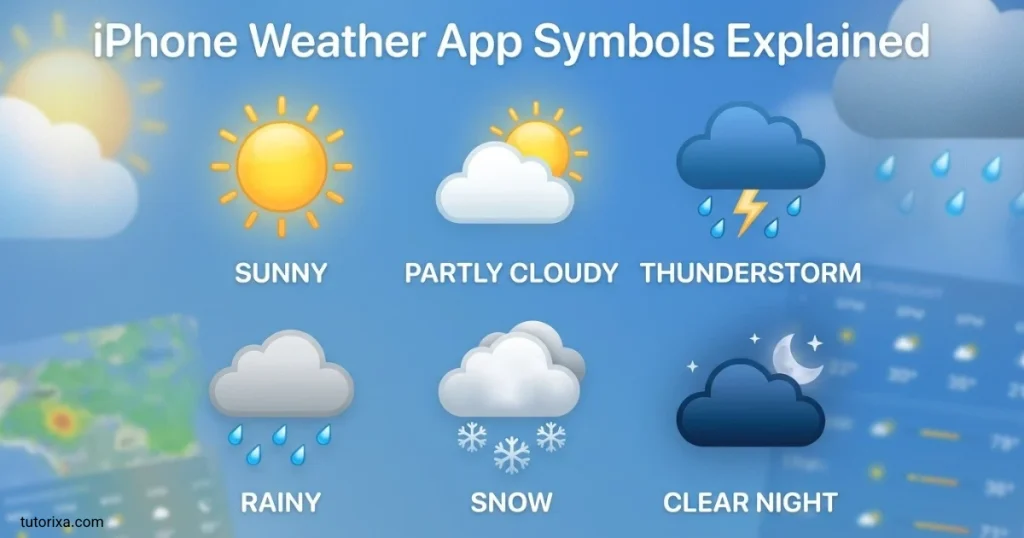
Understanding the icons becomes easier when you consider where they appear and what information surrounds them. The same weather condition may be displayed in a current-conditions panel, an hourly forecast, or a longer forecast.
Current Weather Icon
The main icon near the current temperature summarizes the reported conditions for the selected location. If a cloud appears beside the temperature, it generally indicates cloudy weather at that time.
Hourly Forecast Icons
Hourly icons describe the expected conditions for individual hours. A sun icon in the morning and a rain icon later in the day suggest that conditions may change, so check the full timeline before heading out.
Ten-Day Forecast Icons
Icons in the daily forecast summarize expected conditions for each day. The high and low temperatures provide additional context, especially when rain, snow, or strong winds are forecast.
Weather Maps And Additional Details
The Weather app also provides information beyond its basic condition icons, depending on the device, software version, location, and feature availability. These details may include precipitation, temperature, wind, or air-quality information.
A few practical tips can help you interpret the screen:
- Read the label: Use the written condition when two icons look alike.
- Check the time: A forecast icon is not necessarily a description of the current weather.
- Look at the numbers: Temperature and precipitation details add context.
- Check alerts: An icon alone does not communicate every weather hazard.
For the latest icon reference, consult the official Apple Weather icon guide.
iPhone Weather App Symbols With Names
If you want to identify a specific icon quickly, use this name-and-meaning reference. The names below describe the weather conditions rather than the technical names of Apple’s internal graphics.
| Symbol name | Visual description | Meaning |
| Sunrise | Sun appearing above the horizon | Expected sunrise |
| Sunset | Sun setting below the horizon | Expected sunset |
| Clear | Sun icon | Clear daytime conditions |
| Mostly clear at night | Crescent moon | Clear or mostly clear night |
| Partly cloudy | Sun partly hidden by a cloud | Sun and clouds |
| Partly cloudy at night | Moon and cloud | Cloudy intervals at night |
| Cloudy | One or more clouds | Cloud cover |
| Haze | Hazy lines or atmospheric effect | Hazy conditions |
| Fog | Cloud-like icon with horizontal lines | Foggy conditions |
| Windy | Wind lines | Windy or breezy weather |
| Thunderstorm | Cloud with lightning | Thunderstorms |
| Rain | Cloud with raindrops | Rainfall |
| Heavy rain | Rain cloud with heavier precipitation marks | Heavy rainfall |
| Drizzle | Cloud with fine rain marks | Light rain or drizzle |
| Snow | Cloud or snowflake marks | Snowfall |
| Heavy snow | Snow cloud with additional snow marks | Heavy snowfall |
| Blizzard | Snow and wind-related imagery | Blizzard conditions |
| Freezing rain | Winter precipitation icon | Rain that freezes on contact |
| Sleet | Mixed winter precipitation imagery | Ice pellets or sleet |
| Wintry mix | Mixed precipitation icon | A combination of winter precipitation |
The exact graphic can change with the software version and the condition being forecast. Apple’s published guide is the best place to check the icon artwork for your version of iOS.
Apple iPhone Weather App Symbols
Apple’s Weather app uses its own visual designs to represent weather conditions. Many resemble familiar weather emoji, but the built-in icons are designed for the app’s interface and should not be confused with copy-and-paste Unicode characters.
Here are three things to understand about Apple’s symbols.
1. The icons summarize conditions. A cloud, sun, or snow symbol gives you a quick overview of the forecast. It does not replace detailed information such as precipitation amounts, wind speed, or severe weather alerts.
2. The app may display different versions of a symbol. Daytime and nighttime conditions can have different graphics. Rain intensity and types of winter precipitation can also have distinct icons.
3. Not every feature appears everywhere. Available weather information can depend on your location, software version, and the forecast data available for that area.
You can use Apple’s Weather icon reference to identify the main symbols. If an icon is unfamiliar, compare its shape with the official guide and check the condition description in the app.
iPhone Weather App Symbols Key
A weather symbol key is a quick-reference guide that matches each icon to its meaning. The table below is designed for quick scanning when you want to identify a symbol without reading a long explanation.
| Icon or visual clue | Symbol key meaning |
| Sun | Clear or mostly clear |
| Sun and cloud | Partly cloudy |
| Cloud | Cloudy |
| Cloud with rain | Rain |
| Cloud with many rain marks | Heavy rain |
| Cloud with lightning | Thunderstorm |
| Cloud with fine precipitation marks | Drizzle |
| Snowflake | Snow or wintry conditions |
| Cloud with snow marks | Snowfall |
| Moon | Clear nighttime conditions |
| Moon and cloud | Partly cloudy nighttime conditions |
| Horizontal atmospheric lines | Fog or haze, depending on the icon |
| Wind lines | Windy or breezy |
| Rising sun | Sunrise |
| Setting sun | Sunset |
Keep in mind that a symbol key provides a general interpretation. It cannot tell you the exact rainfall amount, wind speed, or temperature on its own.
For a more complete reading, combine the symbol with the displayed weather description and forecast details. This is particularly helpful when preparing for a commute, a walk, or an outdoor event.
iPhone Weather App Symbols iOS 15
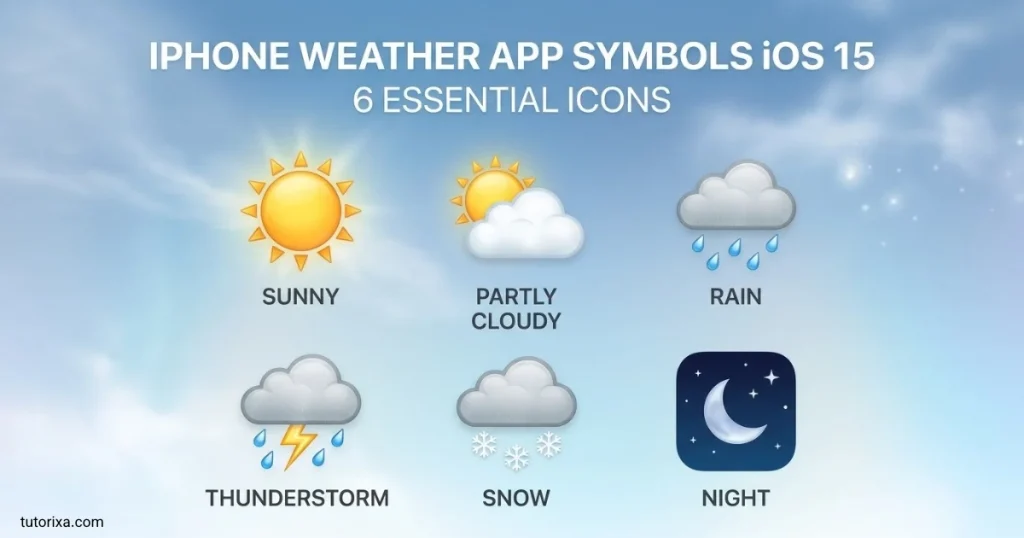
iOS 15 introduced a redesigned Weather app with richer visual details, weather maps, and expanded forecast information. The updated design made it easier to see how conditions could change over time.
If you are using an older iPhone or comparing screenshots from different versions, some symbols and interface details may not match the current Weather app.
What Changed In iOS 15?
The iOS 15 Weather redesign included improvements such as:
- More detailed weather animations and backgrounds.
- Expanded information about precipitation and other conditions.
- Weather maps for supported locations.
- A redesigned 10-day forecast with temperature-range bars.
- Additional visual details that help explain changing weather.
How To Read The Temperature Bars
The horizontal bars in the 10-day forecast are different from the weather-condition icons. They represent the forecast temperature range for each day, rather than rain probability or wind speed.
The bar’s position and length help you compare daily low and high temperatures. In the redesigned forecast, a marker on the current day’s bar shows where the current temperature falls within the predicted range.
Why Older Screenshots Look Different
Apple has changed some weather icons over time. Older iOS 15 references may include conditions or artwork that do not appear in the same form in newer versions. For that reason, use an icon guide that matches your installed software rather than assuming every historical screenshot represents the current design.
If you are troubleshooting an unfamiliar icon, open the Weather app on your own device and compare it with Apple’s current guide.
iPhone Weather App Symbols Cloud With Lines
A cloud with horizontal lines is one of the weather symbols that can cause confusion. Depending on the exact graphic and the app version, lines around or beneath a cloud may be associated with fog, haze, or another atmospheric condition.
Apple lists both fog and haze among its Weather app icons, so the lines alone are not enough to determine which one is being shown.
Cloud With Lines Meaning
| What the icon looks like | Possible meaning | How to confirm |
| Cloud with horizontal lines near the ground | Fog | Check whether the condition label says Fog |
| Hazy-looking lines or a diffuse atmosphere | Haze | Read the displayed condition |
| Cloud with fine falling marks | Drizzle | Look for a rain or drizzle label |
| Cloud with wind-like streaks | Windy conditions in some icon systems | Check the wind information |
These are general visual comparisons, not a claim that every version of Apple’s icon set uses identical artwork.
Fog Versus Haze On iPhone
Fog usually involves suspended water droplets or ice crystals near the ground and can reduce visibility considerably. Haze involves particles or moisture that make the air appear less clear. Both may create a washed-out appearance, but they describe different atmospheric conditions.
If your iPhone shows a cloud with lines, look at the written forecast before deciding what it means. Do not automatically interpret every lined-cloud symbol as fog, mist, or wind.
Does The Symbol Mean Rain?
Not necessarily. A cloud with horizontal lines is not automatically a rain symbol. Rain is usually represented by falling precipitation marks, while fog and haze are associated with reduced visibility or atmospheric clarity.
The accompanying condition label is the most reliable way to distinguish these possibilities.
Snow Symbol Weather iPhone
Snow symbols indicate snowfall or other winter precipitation. Apple distinguishes ordinary snow from heavier snow, blizzard conditions, and mixed winter precipitation.
Apple Support
+1
A snowflake is also a familiar Unicode character that you can copy and paste, but it is not necessarily identical to the icon shown inside Apple Weather.
❄
Snowflake symbol
Unicode: U+2744 — SNOWFLAKE
A common text symbol for snow, cold weather, and winter-themed messages.
Copy
❅
Tight trifoliate snowflake
Unicode: U+2745
A decorative snowflake character for winter captions and designs.
Copy
❆
Heavy chevron snowflake
Unicode: U+2746
Another decorative snowflake symbol suitable for text and winter-themed posts.
Copy
How To Tell Snow Symbols Apart
- Snow: Indicates that snowfall is expected or occurring.
- Heavy snow: Indicates more intense snowfall.
- Blizzard: Refers to severe winter conditions involving snow and wind.
- Sleet or freezing rain: Indicates a different type of winter precipitation and should not be treated as ordinary snow.
The snowflake characters above are standard Unicode text symbols, not official copies of the Weather app’s forecast icons. Their appearance may vary across fonts, apps, and devices.
What To Do When You See A Snow Icon
Check the forecast temperature and expected snowfall, and look for winter weather alerts if they are available. Roads and sidewalks may become slippery, especially when temperatures are near or below freezing.
If you only need to identify the symbol, the snowflake is a useful clue. If you need to make travel plans, use the full forecast rather than the icon alone.
Frequently Asked Questions
What Does The Cloud With Lines Mean In The iPhone Weather App?
It may represent fog or haze, depending on the exact icon. Check the condition label in the Weather app to identify it accurately.
What Does The Snowflake Symbol Mean On iPhone Weather?
The snowflake indicates snow or winter weather conditions. The specific icon and forecast description help distinguish ordinary snowfall from heavy snow or other wintry precipitation.
Are iPhone Weather Symbols The Same In Every iOS Version?
No. Apple has updated its Weather app design and icon set over time. Some symbols and interface details may differ between iOS 15 and newer releases.
How Can I Find The Meaning Of An Unknown Weather Icon?
Compare the icon with Apple’s official Weather symbols guide. You can also check the forecast description and the time associated with the symbol.
Can I Copy And Paste Apple Weather App Symbols?
You can copy and paste similar Unicode characters, such as ❄, ☀, and ☁. However, these characters are not exact copies of Apple’s built-in weather icons, and their appearance can vary by platform.
Conclusion
Understanding iPhone weather app symbols makes it easier to read forecasts and recognize conditions such as rain, snow, wind, fog, and thunderstorms. Each icon provides a quick visual summary, helping you understand what the weather may be like at a particular time.
Some symbols, especially the cloud with lines and different snow icons, need a closer look. Comparing the icon with its written description is the simplest way to avoid confusion. If you use an older iOS version, remember that its symbols and interface may differ from the current Weather app.
Keep this guide handy when you encounter an unfamiliar icon. For the most accurate interpretation, combine the symbol with the temperature, precipitation forecast, and any available weather alerts. That way, you can make better decisions about your day without relying on the icon alone.

I’m Freddie Beaumont, a British author with a passion for discovering what symbols communicate without words. I write about their history, meanings, and everyday uses in an accessible way. I believe symbols tell fascinating stories about people, cultures, and ideas, and my work helps readers recognise and understand those stories more clearly.
Books:
- Symbols and Their Hidden Meanings
- Understanding Signs and Symbols
 Rowan Whitaker
 Ellis Montgomery