
Google Search Symbols Meaning can feel confusing when unfamiliar icons suddenly appear beside your search results. I know how frustrating it can be when you see a symbol and have no idea what it means.
You use Google every day to find answers, websites, images, and information, so understanding these small symbols can make searching much easier. I’ll help you identify the most common icons and explain what they mean in simple language.
By the end, you’ll have a clearer understanding of Google’s search symbols and how they can help you search smarter. You can use this guide as a quick reference whenever an unfamiliar symbol appears.
Quick Meaning
Google search symbols are characters or search operators that can modify how Google processes a query. The most useful examples include quotation marks for exact phrases, – for excluding terms, site: for searching a particular website, before: and after: for date ranges, and filetype: for finding specific file formats.
Symbol Overview Table
| Symbol / Operator | Primary Meaning | Category | Common Usage | Modern Meaning |
| ” “ | Searches for an exact word or phrase | Exact-match operator | “climate change” | Find closely matching phrases |
| – | Excludes a word or term | Exclusion operator | jaguar speed -car | Remove unwanted results |
| site: | Limits results to a website or domain | Site operator | site:example.com symbols | Search within a specific site |
| before: | Finds documents updated before a date | Date operator | history before:2020 | Limit results by an earlier date |
| after: | Finds documents updated after a date | Date operator | history after:2025 | Limit results by a later date |
| filetype: | Searches for a particular file format | File operator | research filetype:pdf | Find PDFs and other supported formats |
| OR | Combines alternatives in a query | Boolean-style operator | college OR university | Search for alternatives |
| .. | Represents a numerical range in some Google search contexts | Range syntax | camera $500..$800 | Search within a numeric range |
| @ | May be meaningful in specific search contexts, but punctuation is generally ignored | Special character | Depends on query | Context-dependent |
| # | Can identify hashtags in searches | Social/search character | #example | Hashtag-related search |
| $ | Can be used to express price-related queries | Search character | laptop $500 | Price-oriented search |
Important: Google does not treat every punctuation mark as a search operator. Its current help documentation specifically lists several operators for refining searches, while Google also explains that punctuation is generally ignored.
What Does Google Search Symbols Mean?
Google search symbols meaning refers to the role that certain characters, punctuation marks, and operators play when they are entered into a Google query.
The important distinction is between ordinary punctuation and functional search operators.
For example, quotation marks can tell Google that you want an exact phrase. A minus sign can exclude a term. The site: operator can restrict results to a particular website. These are functional because they influence the search.
By contrast, many punctuation marks do not have a special meaning in ordinary Google Search. Google explains that punctuation is generally ignored, including characters such as @, #, $, %, ^, &, *, parentheses, equals signs, brackets, and backslashes.
This is why it is inaccurate to assume that every symbol you type into Google automatically changes the search.
Quotation Marks ” “
Quotation marks are among the most useful Google search symbols. They tell Google that you are looking for an exact word or phrase.
For example:
“renewable energy”
This is useful when you want results centered on that precise phrase rather than pages that independently contain the words “renewable” and “energy.”
Quotation marks are especially helpful for:
- Finding a specific phrase
- Checking an exact wording
- Researching titles
- Locating a sentence or terminology
- Narrowing broad searches
Google officially describes quotation marks as the method for searching for an exact match of a word or phrase.
Minus Sign –
The minus sign removes a word from your intended search.
For example:
jaguar speed -car
This tells Google that you want information about jaguar speed while excluding results associated with cars. Google uses this exact type of example in its Search Help documentation.
The minus sign is useful when a word has multiple meanings.
Imagine searching for:
mercury
You might receive information about the planet, element, Roman god, or automobile brand. Adding a relevant exclusion can make the results more focused.
The important point is placement: Google says to put the minus sign directly in front of the term you want to exclude.
site:
The site: operator limits results to a particular website or domain.
For example:
site:example.com history
This can be useful when you already know which website contains the information you want.
Researchers can use it to explore a university website, government domain, news publication, documentation site, or their own website.
Google specifically notes that there should be no space between the operator and the site or domain. site:nytimes.com works as intended, while site: nytimes.com does not follow the documented syntax.
before:
The before: operator can be used to find documents last updated before a particular year or date.
Examples include:
astronomy discovery before:2025/11/01
or
history before:2020
Google documents before: as a way to search for documents last updated before a specified date.
This can be useful when researching older information or trying to narrow a topic to a historical period.
after:
The after: operator performs the opposite type of date restriction.
For example:
astronomy discoveries after:2026/03/10
You can use it when you want results associated with a later date.
Google also explains that before: and after: can be combined to create a date range.
For example:
technology after:2024-01-01 before:2025-01-01
This approach can help narrow a large body of online information to a particular period.
filetype:
The filetype: operator searches for documents of a particular file type.
For example:
photoelectric effect paper filetype:pdf
Google lists this as an official search operator for finding documents of a particular file type.
This is useful when you are specifically looking for:
- PDF research papers
- Reports
- Documents
- Presentations
- Other indexed file formats
The exact availability of results depends on what Google has indexed.
History and Origin of Google Search Symbols
Google search symbols did not originate as one single symbolic language with a single historical beginning. Instead, Google’s search syntax developed as part of the broader evolution of web search.
Search engines need ways to interpret a user’s intention. A normal query can be broad, while an operator can provide an additional instruction.
For example, a person searching for:
ancient symbols
may receive a wide range of pages. Adding an exact phrase, website restriction, exclusion, date restriction, or file type can make the query more specific.
Google’s current Search Help documentation presents operators as tools for refining searches rather than as a universal symbolic language. It also provides Advanced Search as another method of narrowing results.
This distinction matters because older articles and forums sometimes describe long lists of “Google search symbols” that may no longer work consistently or may have been experimental, changed, or context-dependent.
The safest approach is to distinguish currently documented operators from historical search tricks.
Symbolism and Interpretation
Google search symbols have a functional rather than cultural symbolism.
A quotation mark does not symbolize “truth” or “importance” in Google Search. Its meaning is operational: it tells Google to look for an exact phrase.
Likewise, the minus sign is not a symbolic representation of negativity in this context. It functions as an exclusion instruction.
This illustrates an important linguistic principle: the meaning of a symbol depends on context.
The same character can have completely different meanings in different systems:
- – can represent subtraction in mathematics.
- – can indicate exclusion in Google Search.
- ” can mark a quotation in writing.
- ” can help define an exact search phrase.
- : can introduce a field or operator.
- : can also be ordinary punctuation in natural language.
Therefore, Google search symbols are best understood as context-dependent interface notation.
Cultural Significance
Google search symbols have limited cultural symbolism because they are primarily technical conventions.
Their broader significance comes from the way people communicate with digital systems. Search operators create a compact language between a person and a search engine.
For example, site: communicates a restriction, while quotation marks communicate precision.
Different languages and regions may affect the words people use in searches, but many search operators are written using standardized Latin characters and syntax.
Google also notes that search results can depend on language, available tools, and other contextual factors. Search filters are dynamic and may vary according to the query and platform.
Scientific or Technical Meaning of Google Search Symbols Meaning
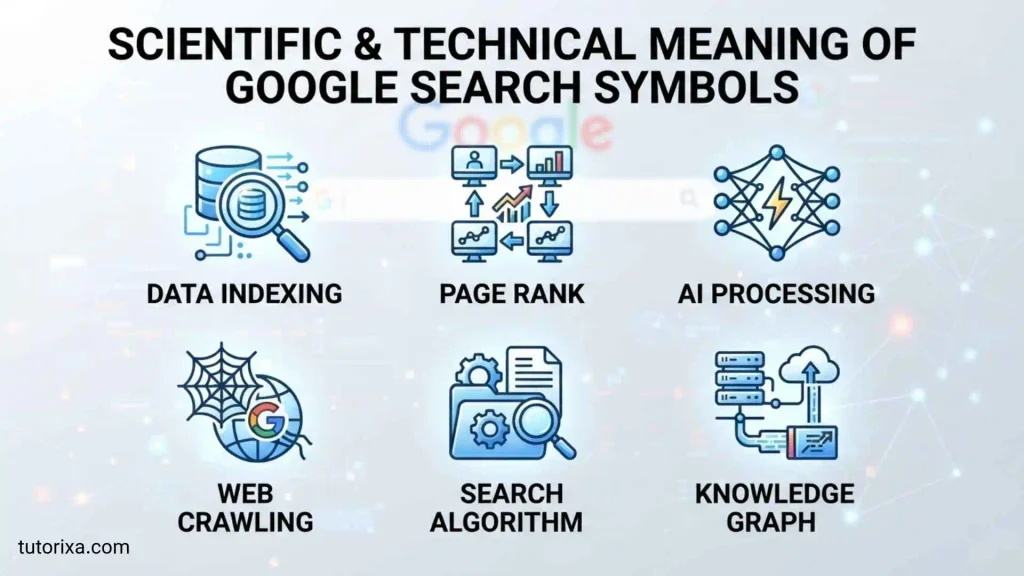
Google search symbols have a technical meaning within information retrieval.
A search query contains terms that help a search engine understand what information a person wants. Operators add structure to that query.
For example:
site:university.edu astronomy
contains two conceptual components:
- A domain restriction: site:university.edu
- A subject: astronomy
Similarly:
“solar eclipse” filetype:pdf
combines an exact phrase with a file-type restriction.
This makes search syntax similar to a lightweight query language. It does not mean Google will always return only perfectly matching pages, because modern search systems consider relevance and relationships among terms. Google states that generally all words in a query are used, while punctuation is generally ignored unless it has a recognized function.
Where Google Search Symbols Are Used
Google search symbols and operators can be useful in many research situations.
Education
Students can use exact phrases and file-type searches to locate specific educational material.
Example:
“photosynthesis” filetype:pdf
Research
Researchers can combine date restrictions and site searches.
Example:
climate research site:.edu after:2024
Website Research
The site: operator can help inspect indexed pages from a particular domain.
Example:
site:example.com symbols
Historical Research
Date operators can narrow results to a particular period.
Example:
ancient Egypt after:2020 before:2024
The dates refer to Google’s documented date-filtering syntax, not necessarily the historical date of the subject itself.
Finding Specific Phrases
Quotation marks are valuable when exact wording matters.
Example:
“meaning of the lotus flower”
Removing Ambiguous Results
The minus sign can help remove an unwanted interpretation.
Example:
jaguar habitat -car
Digital Research
Search operators can also help people investigate documentation, reports, websites, technical material, and public information more efficiently.
Common Variations
Google search syntax can appear in several forms.
Exact Phrase
“digital literacy”
The phrase is enclosed in quotation marks.
Website Restriction
site:example.com digital literacy
The site operator is combined with a normal search term.
Exclusion
digital literacy -children
The minus sign is placed directly before the unwanted term.
Date Range
technology after:2025-01-01 before:2026-01-01
Two date operators can be combined to narrow a period.
File Search
research filetype:pdf
The query asks for a particular file type.
Combined Search
You can combine different techniques:
“machine learning” site:edu filetype:pdf
This creates a more specific query by combining an exact phrase, domain restriction, and file type.
The key is moderation. Adding many operators does not automatically produce better information.
Common Misconceptions
Misconception 1: Every symbol changes Google Search
This is incorrect. Google says punctuation is generally ignored. Only certain characters or operators have documented search functions.
Misconception 2: Every old Google operator still works
Not necessarily. Search behavior evolves, and current Google documentation is a better reference than outdated lists found online.
Misconception 3: Quotation marks guarantee only one exact webpage
Quotation marks request an exact word or phrase match, but they do not guarantee that Google will return one specific page.
Misconception 4: site: searches every page on a website
site: restricts results to a site or domain, but results still depend on Google’s indexing and ranking systems.
Misconception 5: More symbols always mean better results
Too many restrictions can make a search unnecessarily narrow. A simple query is often better when the subject itself is already specific.
Misconception 6: Search operators are the same as mathematical symbols
They may look identical, but their meanings depend on context. A minus sign in mathematics and a minus sign in Google Search perform different functions.
Interesting Facts About Google Search Symbols Meaning
1. Google officially documents quotation marks
Quotation marks are not merely a common trick passed around online. Google explicitly documents them for exact word or phrase searches.
2. Spaces can matter
Google specifically warns not to insert a space between an operator and its search value. site:example.com follows the documented format, while site: example.com does not.
3. Punctuation is usually ignored
Google states that punctuation is generally ignored, which explains why many symbols have no special effect in ordinary searches.
4. Search is case-insensitive
Google says searches are case-insensitive. For example, New York Times and new york times are treated the same way.
5. Date operators can work together
before: and after: can be combined to define a date range.
6. File type is part of Google’s documented search syntax
filetype: allows users to search for documents of a specified file type, such as PDF files.
7. Search filters are dynamic
Google says the filters displayed below the search bar can change depending on the query and what its systems consider useful.
8. Advanced Search provides another route
Users do not have to memorize operators. Google provides Advanced Search for specialized searches.
9. Search symbols are contextual
A symbol can have one meaning in mathematics, another in programming, and another in search syntax.
10. Search operators are instructions, not decoration
Their value comes from changing the scope or interpretation of a query rather than simply making the query look more technical.
Related Symbols
Several symbols and operators are closely connected to Google Search.
Quotation Marks and Exact Search
“…” focuses on an exact phrase. It is especially useful when wording matters.
Minus Sign and Exclusion
– removes an unwanted term from a search. It is particularly useful for ambiguous words.
Colon and Search Fields
The colon in operators such as site: and filetype: connects an operator with the value it modifies.
OR and Alternatives
OR can be used to express alternatives in some search contexts. However, Google’s current general Search Help page emphasizes the documented operators listed above, so users should avoid assuming that every historical search-syntax trick behaves identically today.
Range Syntax
.. has historically been associated with numerical ranges in Google searches. Because search behavior can change, it is best to test specialized syntax rather than assuming every older operator remains supported in exactly the same way.
Frequently Asked Questions
What is the meaning of symbols in Google Search?
Google search symbols are characters or operators that can affect how a query is interpreted. Important documented examples include quotation marks for exact phrases, the minus sign for excluding terms, site: for restricting results to a website, before: and after: for dates, and filetype: for specific file formats.
What does quotation marks mean in Google Search?
Quotation marks tell Google that you want to search for an exact word or phrase. For example, “ancient Egyptian symbols” focuses the query on that wording. Google officially recommends quotation marks when searching for an exact match of a word or phrase.
What does the minus sign mean in Google Search?
The minus sign excludes a word from your search. For example, jaguar speed -car asks Google to leave out results associated with “car.” The minus sign should be placed directly before the term you want to exclude.
What does site: mean on Google?
site: restricts search results to a particular website or domain. For example, site:example.com history asks Google to return results associated with that domain and the subject “history.” Google advises that there should be no space between site: and the website or domain.
What does filetype: mean in Google Search?
filetype: lets you search for documents of a particular file type. A query such as history filetype:pdf can help locate PDF documents related to history. Google officially lists filetype: among its search operators for refining results.
What does before: mean in Google Search?
before: is a date-related search operator. It can be placed before a year or specific date to find documents that Google identifies as having been last updated before that point. Google also allows before: to be combined with after: for a date range.
What does after: mean in Google Search?
after: limits a query to documents that Google identifies as having been last updated after a specified year or date. For example, science after:2025 can be used to narrow a search toward more recent material.
Does every punctuation symbol have a meaning in Google Search?
No. Google explains that punctuation is generally ignored, including many common special characters. Some characters have special roles in particular search contexts, but users should not assume that every punctuation mark functions as an operator.
Are Google search symbols still useful today?
Yes. Google’s current Search Help continues to document operators such as quotation marks, site:, -, before:, after:, and filetype:. Their usefulness depends on the search task. Simple queries are often enough, but operators can be valuable when you need greater control.
Do Google search symbols work the same way everywhere?
Not always. Search behavior can depend on the query, language, available features, and Google’s current systems. Google also states that filters and search tools can change depending on the search and platform. For reliable use, consult Google’s current Search Help when a specialized operator matters.
Key Takeaways
- Google search symbols are best understood as search operators and special characters with context-dependent functions.
- Quotation marks ” ” are used for exact word or phrase searches.
- The minus sign – excludes unwanted terms.
- site: restricts results to a website or domain.
- before: searches for documents updated before a specified date.
- after: searches for documents updated after a specified date.
- filetype: helps locate documents in a particular file format.
- Google says punctuation is generally ignored unless it has a recognized function.
- Search operators can be combined, but excessive restrictions can make a query unnecessarily narrow.
- Old lists of Google search tricks should not automatically be treated as current documentation.
- Advanced Search and Search filters provide alternatives to memorizing operators.
- The meaning of a symbol depends on its context; the same character can mean something completely different in mathematics, programming, writing, or Google Search.
Conclusion
Google search symbols meaning is ultimately about understanding how small pieces of search syntax can change a query’s focus. Quotation marks can make a phrase more precise, a minus sign can remove an unwanted interpretation, site: can narrow results to a particular domain, and date or file operators can make research more targeted.
The most important lesson is not to memorize every symbol found in old search-tip lists. Instead, learn the operators that Google currently documents and understand why each one is useful. Google itself confirms that some punctuation is generally ignored, while recognized operators can refine searches in specific ways.
Once you understand that difference, Google Search becomes easier to control. You can move from a broad question to a focused research query without adding unnecessary complexity. In that sense, the meaning of Google search symbols is less about the symbols themselves and more about the instructions they give within a search context.

I’m Rowan Whitaker, a British writer fascinated by the symbols surrounding us every day. I explore their meanings, origins, cultural significance, and changing interpretations. From ancient marks to modern signs, I enjoy making symbolism easier to understand. My writing helps curious readers discover the hidden messages behind familiar shapes, images, and signs.
Books:
- The Meaning Behind Symbols
- A Modern Guide to Symbolism
 Ellis Montgomery
 Freddie Beaumont