
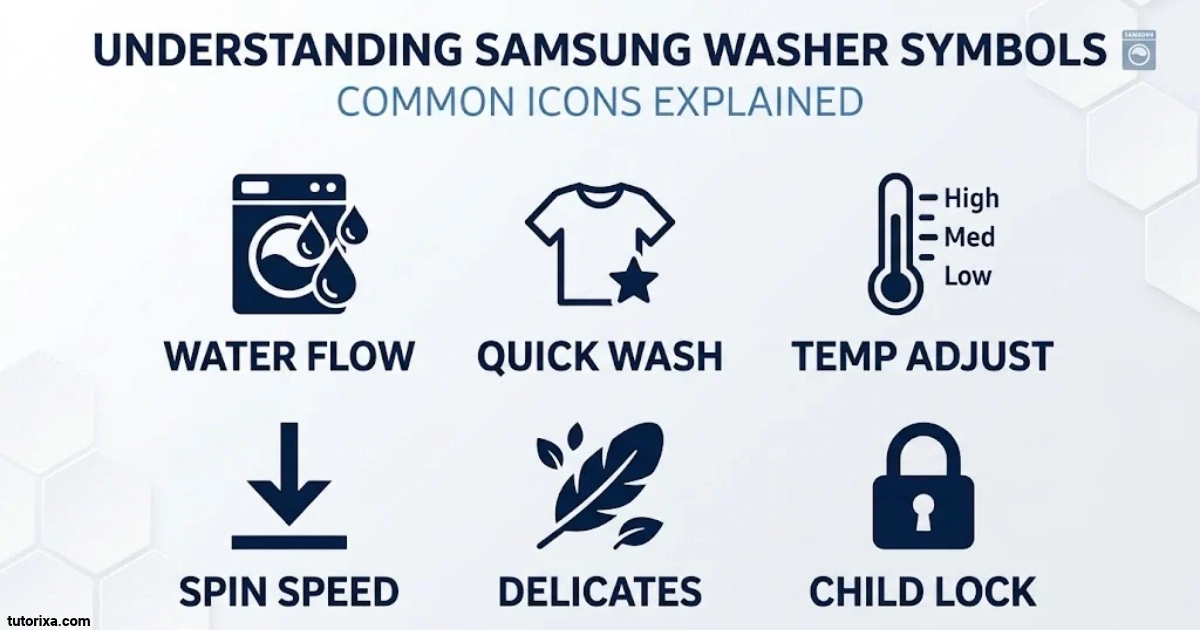
Samsung washing machines display different symbols, lights, and indicators to help you understand wash cycles, select settings, and identify problems. However, some icons can be confusing, especially when you are using a new machine or a front-load model for the first time.
Understanding Samsung washer symbols makes laundry easier. You can quickly recognize detergent compartments, temperature settings, spin options, Child Lock, EcoBubble technology, and other useful features without guessing what each button does.
In this guide, you will find Samsung washer symbols and their meanings, explanations of EcoBubble icons, detergent drawer markings, and common red or flashing indicators. You will also learn what to check when a warning light appears and how to find the correct symbol information for your particular model.
Samsung Washer Symbols Explained
Samsung washing machine symbols are small visual indicators that show which functions are available, which settings are active, and what the machine is doing during a wash cycle. Some symbols represent normal operations, while others alert you when maintenance or troubleshooting is needed.
The exact appearance of these icons depends on the washer’s model, series, and control panel. Here are some commonly used Samsung washing machine symbols and their meanings.
| Symbol or appearance | Name | Meaning |
| 👕+ | Add Garment | Allows you to add clothes during a compatible wash cycle. |
| 🔒 | Door Lock | Indicates that the washer door is locked. |
| 🙂 | Child Lock | Shows that the Child Lock function is active. |
| 🕒 | Delay Start | Schedules the wash cycle to begin later. |
| ⏳ | Time Remaining | Displays the remaining wash time. |
| 🔇 | Sound Off | Indicates that the washer’s notification sounds are disabled. |
| 🧺✨ | Self Clean / Pure Cycle | Reminds you to clean the washing machine drum. |
| 🪣+ | Extra Rinse | Adds another rinse to the wash cycle. |
| ☁️ | Steam | Indicates that the steam function is selected. |
| 💡 | Interior Lamp | Turns on the light inside compatible washer models. |
| 📶 | Smart Control | Indicates a Smart Control or connected-device function. |
| 🌀 | Spin | Represents the spin stage or spin-speed setting. |
Note: These emoji are visual approximations for easy identification, not exact Samsung control-panel artwork.
Common Samsung Washer Display Icons
Here is a closer explanation of the symbols you are most likely to see.
1. Add Garment Symbol (👕+)
The T-shirt with a plus sign indicates that you can add more clothes to the washer. Depending on the model, you may need to pause the cycle before opening the AddWash door or main door.
2. Child Lock Symbol (🙂)
This symbol indicates that Child Lock is enabled. It prevents accidental changes to the wash settings. On some models, it can also affect door operation.
3. Door Lock Symbol (🔒)
The padlock or key symbol means the washer door is locked. This is normal during washing and spinning. Wait until the indicator disappears before opening the door.
4. Delay Start Symbol (🕒)
The clock symbol indicates that a delayed start has been selected. Your washing machine will begin the selected programme at the scheduled time.
5. Self Clean Symbol (🧺✨)
A drum-shaped symbol with a cleaning indicator reminds you to run the Self Clean or Pure Cycle programme. It helps maintain the inside of the washer.
6. Extra Rinse Symbol (🪣+)
The water-basin symbol with a plus sign indicates that an additional rinse has been selected. This option helps remove detergent residue and other laundry additives.
7. Steam Symbol (☁️)
The cloud-shaped icon represents the Steam function. Compatible washers use steam to support stain treatment during selected programmes.
8. Smart Control Symbol (📶)
The wireless symbol indicates a Smart Control or connectivity feature. On supported models, it allows you to connect and control the washer through Samsung SmartThings.
Samsung confirms that icon designs and availability vary between washing machine models.
Samsung Washer Symbols Key

A Samsung washer symbols key is a quick reference that helps you identify the icons printed on your control panel or displayed on the screen. Instead of guessing what an unfamiliar symbol means, you can compare its appearance with the descriptions below.
| Symbol or label | Symbol name | Function |
| ⏻ | Power | Turns the washing machine on or off. |
| ▶⏸ | Start/Pause | Starts or temporarily pauses a programme. |
| 🌡 | Temperature | Changes the water temperature. |
| 🌀 | Spin | Adjusts the spin speed. |
| 🪣 | Rinse | Changes the number of rinse cycles. |
| 🧼 | Prewash | Adds a preliminary wash before the main cycle. |
| 💧 | Water Plus | Adds water on supported models. |
| ☁️ | Steam | Activates the steam option. |
| 🫧 | Bubble Soak | Helps loosen stubborn stains through soaking. |
| 👕 | Intensive | Provides a longer wash for heavily soiled clothes. |
| 🕒 | Delay End | Schedules when the wash programme should finish. |
| 🔒 | Child Lock / Door Lock | Indicates a locking function, depending on the icon. |
| 📶 | Smart Control | Enables supported wireless control features. |
The symbols in this table are illustrative. Your washer may use different artwork, text labels, or touch controls.
How To Read The Symbols Key
Keep these basic differences in mind:
- Cycle symbols: Identify programmes such as Cotton, Quick Wash, Bedding, and Delicates.
- Option symbols: Represent extra features such as Prewash, Steam, and Extra Rinse.
- Status symbols: Show whether the door is locked, the cycle is running, or a delay has been selected.
- Warning indicators: Alert you to problems such as water supply, drainage, or door-lock issues.
You should also distinguish between an illuminated setting and an error warning. An illuminated indicator often means a feature is selected, not that the washing machine is faulty.
Samsung Washing Machine Buttons Explained
Samsung washing machine buttons allow you to select programmes, adjust settings, and control the washing process. Depending on the model, your machine may have physical buttons, touch-sensitive controls, a rotary dial, or a digital touchscreen.
The following table explains common buttons found on Samsung front-load and other compatible washers.
| Button or label | Function | How to use it |
| Power (⏻) | Turns the washer on or off. | Press to switch the machine on or off. |
| Start/Pause (▶⏸) | Controls the wash cycle. | Press to start or pause the programme. |
| Cycle Selector | Selects a wash programme. | Turn the dial to choose a cycle. |
| Temp. (🌡) | Adjusts water temperature. | Press to select an available temperature. |
| Spin (🌀) | Changes spin speed. | Select the desired spin setting. |
| Rinse (🪣) | Adjusts rinsing. | Choose the available rinse count. |
| Options | Opens additional wash settings. | Select extra functions for the programme. |
| Delay End (🕒) | Delays the completion time. | Set when you want the wash to finish. |
| Smart Control | Enables remote-control features. | Connect using the supported SmartThings setup. |
| Child Lock | Prevents accidental operation. | Use the model-specific button combination. |
Important Button Functions
Power Button: Switches the washer on or off. If a cycle is running, pause it and follow your model’s instructions before switching the machine off.
Start/Pause Button: Starts the selected programme or temporarily stops it. You may need to press and hold it on certain models.
Temperature Button: Allows you to choose an available water temperature. Common options include cold, 20°C, 30°C, 40°C, 60°C, and 90°C, although the available settings depend on the selected programme and model.
Spin Button: Controls how quickly the drum spins during the final stage. Higher spin speeds generally remove more water from clothes, while lower speeds are gentler on delicate fabrics.
Rinse Button: Changes the number of rinse stages on supported models. Additional rinsing can help remove leftover detergent.
Delay End Button: Lets you schedule when a wash programme finishes rather than simply choosing a start time.
Smart Control Button: Connects supported washers to Samsung’s SmartThings ecosystem for remote monitoring and control.
On some newer Samsung machines, the control panel uses a navigation dial and digital display instead of separate buttons for every setting.
Samsung Washer Symbols Meaning Front Load
Samsung front-load washing machines use a combination of display icons, cycle indicators, and detergent drawer markings. These symbols help you understand the washing process and select the right settings for your clothes.
Here are some common front-load washer symbols and what they mean.
| Symbol | Name | Meaning |
| 👕+ | AddWash | Allows additional garments to be added on compatible models. |
| 🔒 | Door Lock | Keeps the door locked during operation. |
| 🙂 | Child Lock | Prevents accidental button presses. |
| 🧺✨ | Drum Clean | Indicates that the drum needs cleaning. |
| 🫧 | Bubble Soak | Helps loosen difficult stains. |
| 🌡 | Temperature | Selects the water temperature. |
| 🌀 | Spin Speed | Controls the final spinning speed. |
| 🪣 | Rinse | Controls the rinsing stage. |
| ☁️ | Steam | Activates steam washing on compatible models. |
| 🌱 | Eco / Energy Saving | Represents an energy-saving option where provided. |
| 🕒 | Delay End | Schedules the completion of the wash. |
| 📶 | Smart Control | Indicates a connected-device function. |
Common Front-Load Washing Programmes
Apart from display icons, Samsung front-load washers include programme names that describe how clothes will be washed.
- Cotton: For everyday cotton clothing, towels, and similar fabrics.
- Synthetics: For garments made from synthetic materials.
- Delicates: For clothing that needs gentler washing.
- Wool: For compatible wool garments that require special care.
- Quick Wash: For lightly soiled clothes when a shorter programme is suitable.
- Bedding: For washing suitable bedding items.
- Rinse + Spin: Runs a rinse followed by a spin.
- Drum Clean / Self Clean: Cleans the inside of the washing machine without a normal laundry load.
What Do The Temperature And Spin Symbols Mean?
The temperature symbol usually looks like a thermometer. It allows you to choose the water temperature available for your selected programme.
The spin symbol generally looks like a spiral or rotating drum. It controls the speed at which the drum spins to remove water from the laundry.
Always check garment care labels before selecting high temperatures or spin speeds. Delicate fabrics may require cooler water and a gentler spin setting.
Samsung EcoBubble Symbols Meaning

Samsung EcoBubble technology is designed to mix detergent with water and air to create bubbles before or during the washing process. These bubbles help distribute detergent through the laundry.
The EcoBubble feature is available on selected Samsung washing machine models. Its controls and indicators can look different depending on the product series.
Common EcoBubble-Related Symbols
| Symbol or appearance | Name | Meaning |
| 🫧 | Bubble Soak | Activates a soaking function to help loosen stubborn stains. |
| 🫧👕 | EcoBubble Indicator | Represents the bubble-washing technology on applicable models. |
| 🌡 | Temperature | Selects the water temperature for the programme. |
| 🌀 | Spin | Adjusts the spin speed. |
| 🪣 | Rinse | Controls the rinse settings. |
| 🌱 | Eco / Energy Saving | Indicates an available energy-saving option. |
These are illustrative representations, not universal EcoBubble control-panel icons.
What Does The Bubble Soak Symbol Mean?
The Bubble Soak symbol indicates that the Bubble Soak function has been selected. This option helps loosen stubborn stains by soaking clothes in water and bubbles.
It is particularly useful for laundry with difficult stains, such as:
- Food stains
- Mud and dirt
- Sweat marks
- Everyday grime
- Other stubborn marks
The function may increase the total washing time because it adds a soaking stage.
EcoBubble vs. Bubble Soak
These two terms are related but do not mean exactly the same thing.
| Feature | Meaning |
| EcoBubble | Washing technology that creates detergent bubbles to help clean clothes. |
| Bubble Soak | An additional soaking option that helps loosen stubborn stains. |
Do not assume that every EcoBubble washer has the same Bubble Soak button or indicator. Check your model’s user manual for the exact functions available.
Samsung UK+1
Samsung Washer Symbols for Detergent
Samsung washing machines have different detergent drawer compartments for detergent, fabric softener, and prewash products. Understanding these markings helps you put the correct product in the right place.
Most Samsung front-load washing machines use three main detergent compartments, although the drawer design can vary between models.
Samsung Detergent Drawer Symbols And Meanings
| Symbol | Compartment | What To Add |
| I | Prewash | Detergent for the prewash stage. |
| II | Main Wash | Detergent for the main washing cycle. |
| ✿ | Fabric Softener | Fabric softener. |
1. I — Prewash Compartment
The compartment marked with the Roman numeral I is for prewash detergent. It is used when you select a programme that includes a prewash stage.
Prewash helps remove loose dirt and heavy soil before the main wash begins. If you are not using a prewash option, you generally do not need to add detergent to this compartment.
2. II — Main Wash Compartment
The compartment marked II is for the main detergent. This is where you normally add liquid or powder detergent for your regular washing programme.
Use the recommended detergent amount according to the product instructions, load size, and water conditions.
3. Flower Symbol — Fabric Softener
The flower-shaped symbol identifies the fabric softener compartment. Add fabric softener up to the maximum fill line.
The machine releases the softener during the final rinse stage. Never fill this compartment above its marked maximum level.
Other Detergent-Related Symbols
Some newer Samsung washers include automatic detergent dispensing and additional digital settings.
| Symbol or label | Meaning |
| Detergent | Controls detergent dispensing on compatible models. |
| Softener | Controls fabric softener dispensing. |
| Auto Dispense | Automatically releases the selected detergent amount. |
| MAX | Maximum permitted filling level. |
| Liquid Detergent | Indicates a compartment or setting for liquid detergent. |
| Powder Detergent | Indicates a compartment or setting for powder detergent. |
Tips For Using Samsung Detergent Compartments
- Use detergent suitable for your washing machine type.
- Follow the recommended detergent quantity.
- Do not exceed the MAX marking.
- Clean the detergent drawer regularly to prevent residue buildup.
- Use the prewash compartment only when the selected programme includes prewashing.
- Check whether your model requires a liquid detergent insert or a different dispenser arrangement.
Important: Some Samsung models have an automatic dispensing system instead of the traditional three-compartment arrangement. Always follow the markings inside your actual detergent drawer.
Samsung Washing Machine Red Symbols

A red symbol or illuminated red indicator on a Samsung washing machine can attract your attention, but it does not always mean the appliance has developed a fault.
The meaning depends on the icon, the displayed error code, and the model. For example, a red door-lock indicator may simply show that the door is locked during a normal wash cycle.
Common Red Washer Indicators
| Symbol or appearance | Possible meaning | What To Do |
| 🔒 | Door Lock | Wait until the cycle finishes and the lock releases. |
| 🚰 | Water Supply Warning | Check the water tap and inlet hose. |
| ⚠️ | Warning Indicator | Check the display for an error code. |
| 🧺✨ | Drum Clean Reminder | Run the recommended drum-cleaning programme. |
| 🚪 | Door Warning | Check whether the door is properly closed. |
| 💧 | Water or Leakage Warning | Check for leaks and identify the displayed code. |
The emoji are illustrative only. Samsung does not use one universal red-symbol system across all washer models.
Why Is The Red Door Lock Symbol On?
The door-lock indicator can remain illuminated while the washing machine is operating. It prevents the door from being opened when doing so could cause injury or water leakage.
Try these steps:
- Allow the washing programme to finish.
- Wait for the drum to stop moving.
- Allow the washer to drain if necessary.
- Wait for the door-lock indicator to disappear.
- Open the door only when the machine releases the lock.
Never force the door open while the lock indicator is active.
What If A Red Warning Symbol Appears?
If a red warning appears alongside an error code, check the code before attempting repairs.
For example:
- A water supply error may require checking the inlet tap and hose.
- A drainage error may require checking the drain hose or filter.
- A door error may mean that the door is not properly closed.
- A leakage-related error may require checking for water around the appliance.
Samsung recommends checking the relevant error information and consulting the model-specific manual when an indicator is unclear.
Samsung Washing Machine Symbols Flashing
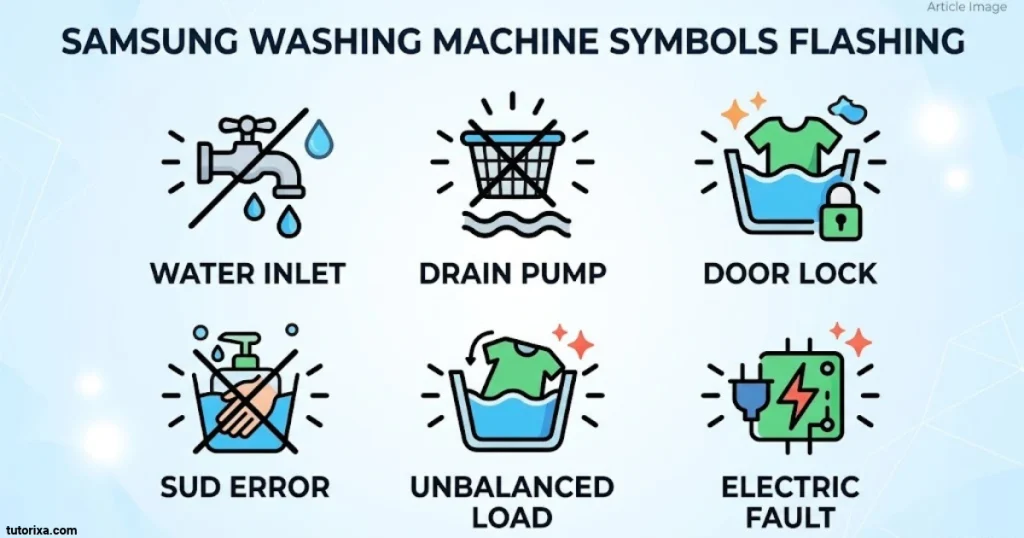
Flashing symbols on a Samsung washing machine can indicate that a setting is being selected, a function is active, a reminder needs attention, or an error has occurred.
The meaning depends on which light is flashing and whether the washer is operating normally.
Common Flashing Symbols And Their Meanings
| Flashing symbol or display | Possible meaning | Recommended action |
| 🔒 | Door-lock status or door-related issue | Check the door and wait for the lock to release. |
| 🚰 | Water supply problem | Open the water tap and inspect the inlet hose. |
| 🧺✨ | Self Clean reminder | Run the drum-cleaning programme. |
| 💧 | Water or leakage-related warning | Check for leaks and the displayed error code. |
| 🌀 | Spin or load-balancing issue | Redistribute clothes inside the drum. |
| 🫧 | Bubble-related function | Check whether the selected option is active. |
| ⚠️ | Warning or error | Read the displayed code and consult the manual. |
Common Samsung Flashing Error Codes
Some Samsung washers display letters and numbers instead of a warning symbol. These codes provide more specific information about the problem.
| Error code | Meaning | What You Should Check |
| 4C / 4E | Water supply problem | Check the water tap, inlet hose, and water filters. |
| 5C / 5E | Drainage problem | Check the drain hose and debris filter. |
| dC / dE | Door-related error on applicable models | Check the door and its locking mechanism. |
| UE / Ub | Unbalanced laundry load | Redistribute the clothes inside the drum. |
| 1C / 1E | Water-level sensor or leakage-related issue | Check for leaks and arrange service if necessary. |
| OC / OE | Overflow or excessive water | Stop the cycle and follow the model-specific troubleshooting instructions. |
| SUd / 5UD | Excessive suds | Reduce detergent and use the recommended detergent type. |
| E2 / bE2 | Jammed button on applicable models | Check whether a control button is stuck. |
Error-code meanings can vary by model and market. For example, Samsung identifies some DC codes as either door or unbalanced-load errors depending on the washer.
How To Fix Common Flashing Washer Indicators
1. Check The Water Supply
If the water-tap indicator flashes or a 4C error appears, make sure the water supply is turned on. Inspect the inlet hose for bends or blockages.
2. Check The Drainage System
If the washer cannot drain properly, check the drain hose for obstructions. On models with an accessible debris filter, consult the manual for safe cleaning instructions.
3. Balance The Laundry Load
An unbalanced load can prevent the washer from completing its spin cycle. Open the door when it is safe, redistribute the laundry evenly, and restart the spin programme.
4. Check The Door
Make sure clothing is not trapped between the door and its seal. Close the door properly and try starting the cycle again.
5. Reduce Excessive Detergent
Too much detergent can create excess foam. Samsung washers may display a suds-related code and temporarily pause while the foam dissipates.
6. Restart The Washing Machine
If the washer displays an unusual combination of flashing lights, switch it off and disconnect its power for approximately 2–3 minutes, provided it is safe to do so. Restore power and try again. If the same warning returns, consult Samsung support rather than repeatedly restarting the machine.
Why Is The Self Clean Symbol Flashing?
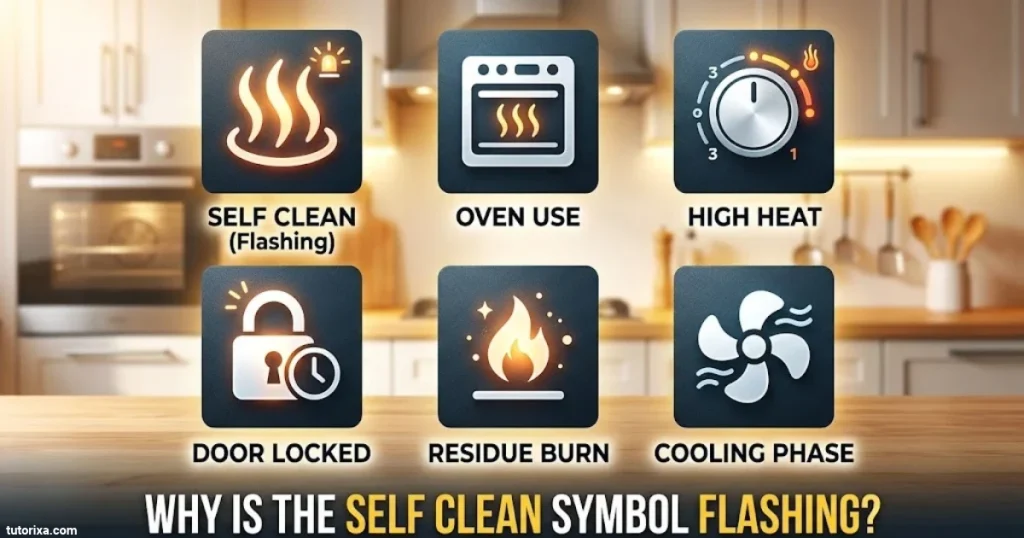
A flashing Self Clean indicator is often a maintenance reminder rather than an error. It tells you that the washer has reached a certain number of wash cycles and should have its drum-cleaning programme run.
The reminder interval varies depending on the model. Follow the cleaning instructions in your user manual.
Samsung provides separate troubleshooting guidance for common error codes, flashing indicators, and normal washing machine icons.
Samsung+2
Frequently Asked Questions
What Do The Symbols On A Samsung Washing Machine Mean?
Samsung washing machine symbols represent different functions, settings, and alerts. Common examples include the door-lock icon, Child Lock, Delay Start, Extra Rinse, Steam, Spin, and Self Clean indicators. Their exact appearance depends on your washer model.
What Does The Red Key Symbol Mean On A Samsung Washer?
The red key or padlock symbol generally indicates that the washing machine door is locked. This is normal during an active wash cycle. Wait until the cycle finishes and the indicator disappears before opening the door.
What Does The Flower Symbol Mean In A Samsung Washing Machine?
The flower symbol usually identifies the fabric softener compartment in the detergent drawer. Add fabric softener to this compartment without exceeding the maximum fill line.
What Does The Flashing Tap Symbol Mean On A Samsung Washing Machine?
A flashing water-tap symbol commonly indicates a water supply problem. Check that the water tap is fully open, the inlet hose is not bent, and the water supply filters are not blocked.
How Do I Find The Correct Symbols For My Samsung Washer Model?
Check the model number on your washing machine and search for its official Samsung user manual. The manual explains the exact control-panel symbols, detergent compartments, wash programmes, and warning indicators for your appliance.
Conclusion
Understanding Samsung washer symbols makes it easier to operate your washing machine and choose the right settings. From everyday control buttons to EcoBubble functions, detergent drawer markings, and front-load indicators, each symbol provides useful information about your laundry cycle.
Pay attention to red warning lights and flashing indicators, especially when they appear alongside an error code. Some lights are normal reminders, while others point to water supply, drainage, door, or load-balancing problems.
For the most accurate information, always check your specific Samsung washer model and its user manual. This will help you understand unfamiliar icons, avoid incorrect settings, and keep your washing machine working properly.

I’m Rowan Whitaker, a British writer fascinated by the symbols surrounding us every day. I explore their meanings, origins, cultural significance, and changing interpretations. From ancient marks to modern signs, I enjoy making symbolism easier to understand. My writing helps curious readers discover the hidden messages behind familiar shapes, images, and signs.
Books:
- The Meaning Behind Symbols
- A Modern Guide to Symbolism
 Freddie Beaumont
 Ellis Montgomery